
Your mouse colony, in your pocket.
CageCard keeps cages, mice, breeding and genotypes in one app the whole lab shares, on the phone you take into the vivarium. It knows when litters need weaning and mice need genotyping.
Try it free for 30 days Pricing ›
No card needed. Install it on your home screen from the browser.
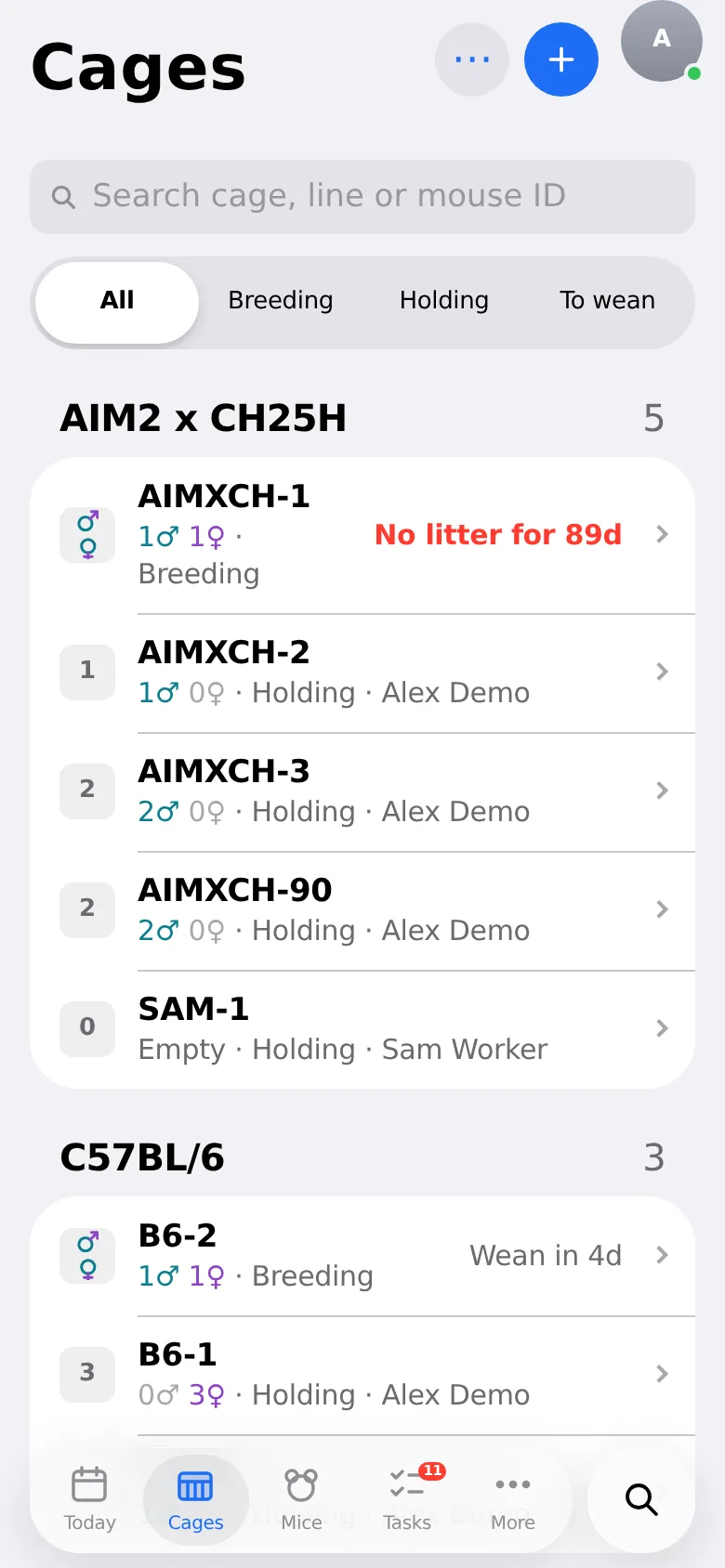
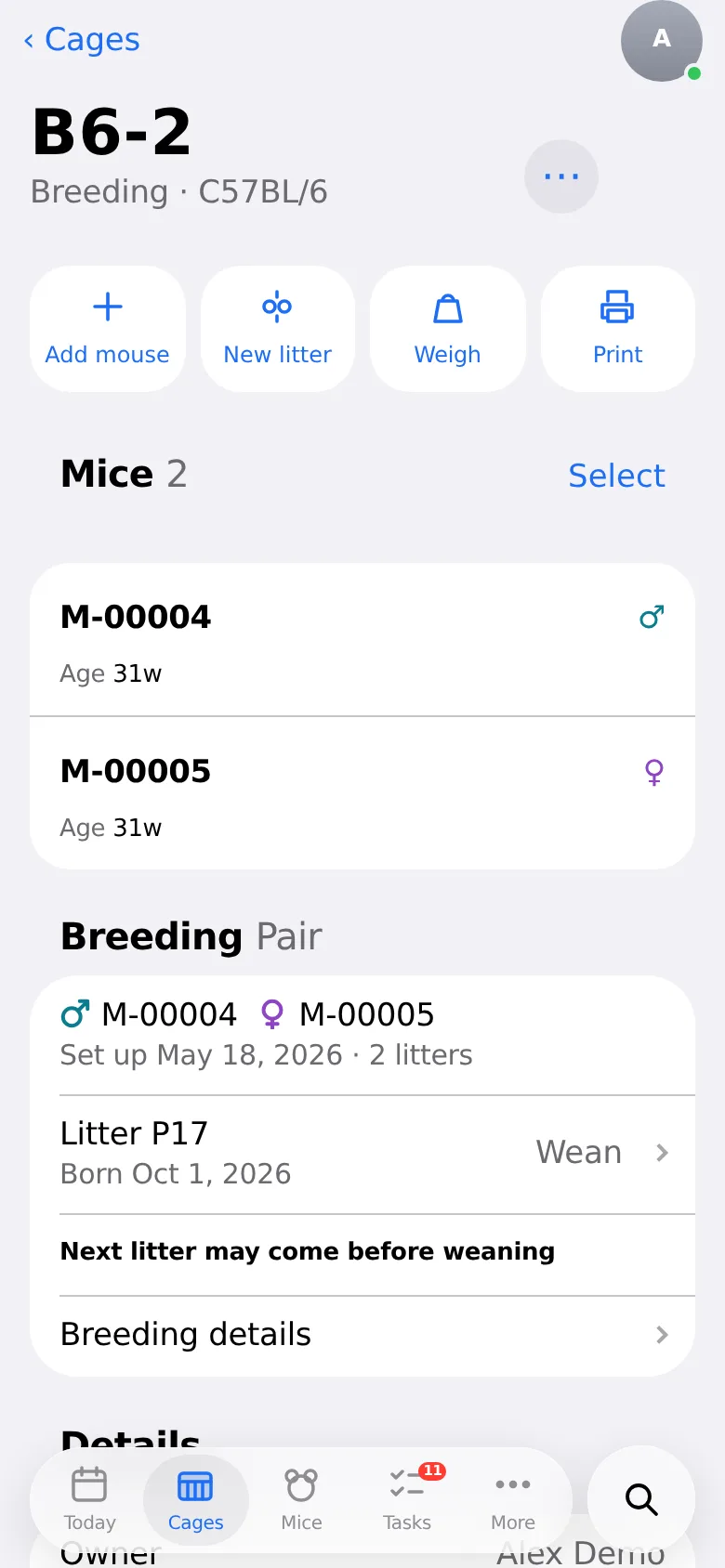
Every cage, the way you name it.
Cages keep the names you already use (CH-14, AIMXCH-7). Every mouse has its ear notch, genotype and a permanent ID, and moving a mouse keeps its whole history. Breeding cages show the litter’s age and when it’s due to wean.
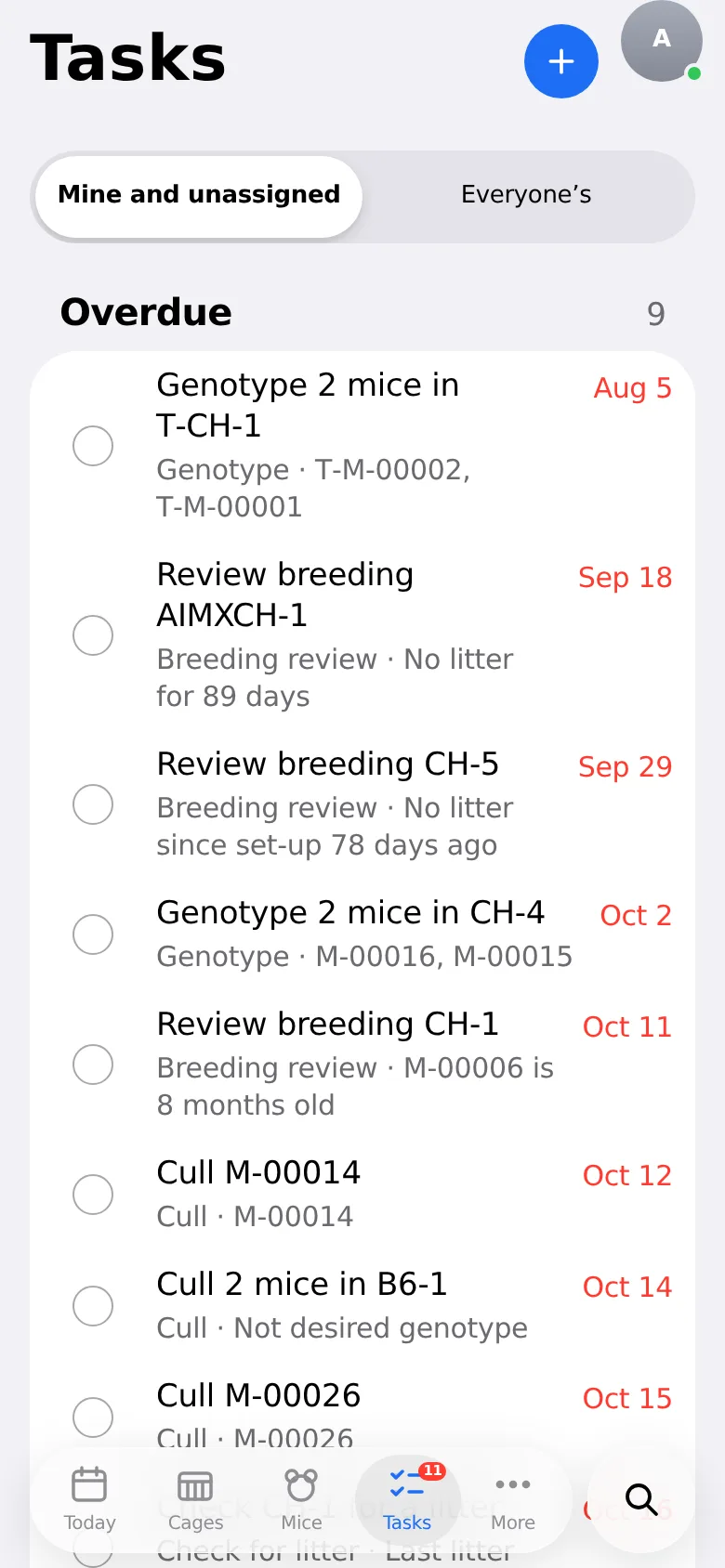
The week, worked out.
Wean at P21, genotype before weaning, separate the male, check for a litter, plug checks for timed matings, breeders to review, culls and protocol renewals. They come from your colony data, clear themselves when the work is recorded, and arrive as notifications on your phone if you want them.
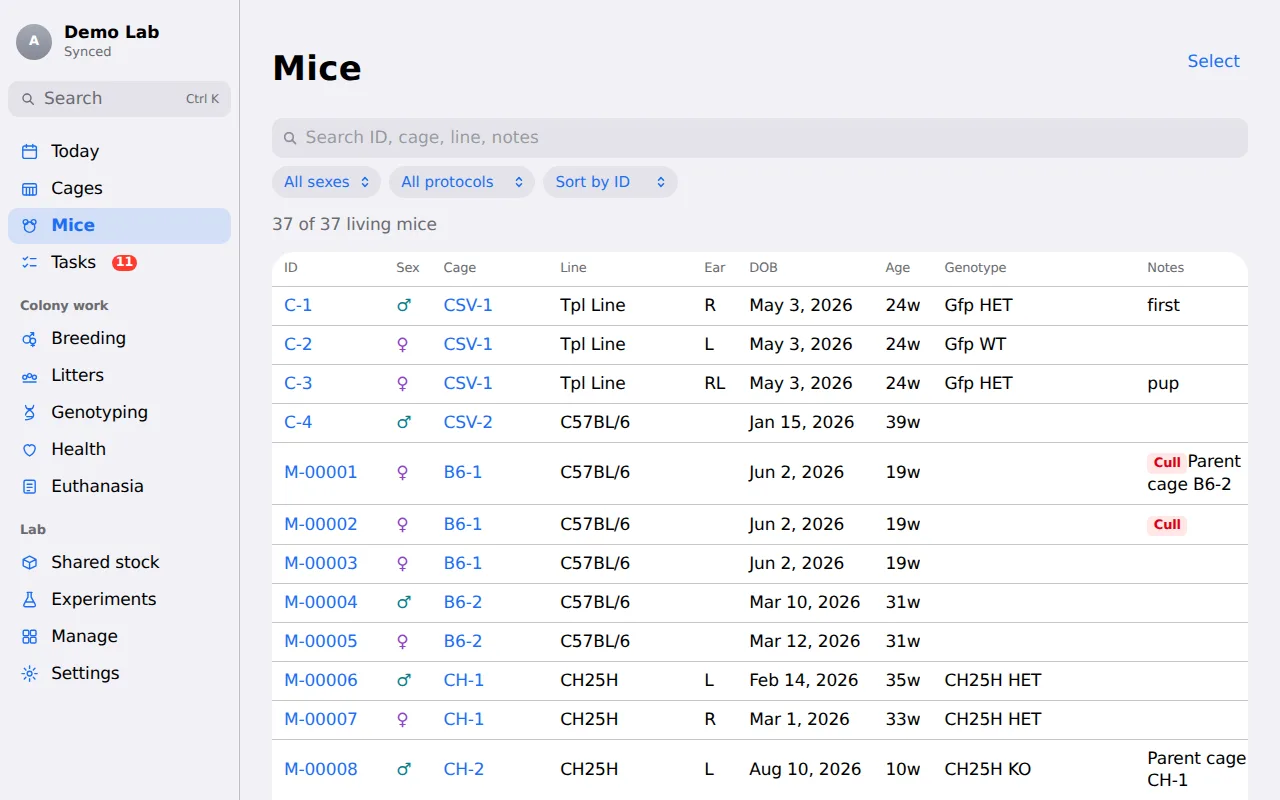
And a proper desk view.
The whole colony in one table on a computer, with filters, several mice at once, and every change from the rack as it happens.
Also in CageCard
- GenotypingTake samples, enter calls with the PCR band key on screen, or import a results file from Transnetyx or your own sheet. Calls that can’t come from the parents are flagged.
- Health and weightsWeigh a cage at a time. Weight loss is measured against a baseline, with warning and humane-endpoint thresholds you set.
- Works at the rackInstall it on your phone’s home screen. Big buttons for gloved hands, push notifications, and it keeps working without signal: changes sync when you’re back in range.
- Sac and cullSac or cull one mouse or a whole cage in a few taps, with Undo. Mark mice for later and print the list for the animal room; the euthanasia log keeps date, strain, count, purpose and cage, like your sheet.
- Cage cards with QR codesPrint cards for your cage holders on Letter or A4, in three sizes, with the mice, genotypes and room for notes. Scanning one opens the cage; someone outside the lab can only ask to join, without seeing whose cage it is.
- Shared stockShare a cage of wild-type or other common stock: anyone in the lab can find “2 females, 6–10 weeks, WT” and take them into their own cage. The owner can approve each request and keep a minimum, and you can see who took how many.
- IACUC protocolsApproved numbers per protocol and pain category, with usage meters, warnings at 90% and at the limit, and renewal reminders. New mice and weaned pups pick up the right protocol.
- Reports and experimentsCharts of colony size, litter sizes by line and genotypes, plus census, genotypes, breeding performance, protocol usage, per-diem cost estimates and mortality, each as CSV, Excel or a printout. Group mice into experiment cohorts by line, sex, age and genotype.
- Set up in minutesA guided setup takes a new lab through its lines and genes, ID and ear-notch conventions, rooms, protocols, bringing in the colony and inviting people. Skip what doesn’t apply and pick it up later from Today.
- Your lab, your rolesManagers and workers edit; viewers (a PI, a vet, a collaborator) read for free once a manager approves them. Everyone picks light or dark, with or without animations.
- Secure, and yours to takeTwo-step sign-in, and every change recorded with who, when and the values before and after: search it by mouse, cage, person or date and download it for an inspection. All of your lab’s data as spreadsheets whenever you want it.
Start from your spreadsheet
- UploadThe .xlsx or .csv you use today, whatever its columns. Or fill in our template.
- ReviewTidy line names and answer what was flagged, like a parent cage missing from the sheet. Nothing is saved yet.
- ImportCages, mice, genotypes and breeding pairs, ready on your phone.
$20 a month for a lab.
Includes 2 people; each extra manager or worker is $12 a month and viewers are free. One person on their own is $8 a month. 30 days free, no card.
Free tools
- Mouse wean date calculatorFrom a birth date or a pairing date: when the litter is due, when to take the male out and when to wean, with a calendar file.
- Timed mating calculator (embryonic day)From a plug date: the date of each E-day, the birth and wean windows; or when to set up pairs to have embryos at a stage on a set day. E0.5, E0 or gestation day 1.
- Mouse colony spreadsheet templateA free Excel or CSV template for lines, cages, mice, genotypes and breeding, ready to import into CageCard when you want to.
Questions
Can I bring my spreadsheet?
Yes. Upload your .xlsx or .csv as it is: with a row per mouse you match its columns to ours once (we remember them), and a workbook with cage blocks per line is read directly, ear notches, genotypes, parents, room and rack, and your euthanasia log included. Starting from nothing? Fill in our template, with your lines and genes already in it. Either way CageCard points out things to check, like a birth date in the future, before anything is saved.
Do I need a connection in the vivarium?
No. Pages you’ve opened stay readable without signal, and changes you make are kept on the phone and synced when you’re back in range. If someone else changed the same thing meanwhile, you choose which version to keep.
I keep my own mice now. What if I join a lab?
Start with an Individual workspace. When you join a lab, send your records to it: a lab manager matches your lines to theirs and approves, and your cages, mice, genotypes, breeding and litters are copied across with their history.
What happens after the free trial?
Nothing is deleted. The workspace becomes read-only until someone subscribes.
Is it only for mice?
Mice for now. Other species are planned; tell us which one your lab needs.
Where is the data stored?
In the United States, with encrypted connections throughout. Each lab only ever sees its own colony.
Can I get my data out?
Any time. An owner can download everything as spreadsheets, every record with its full history, and can delete the workspace or their own account without asking us.